

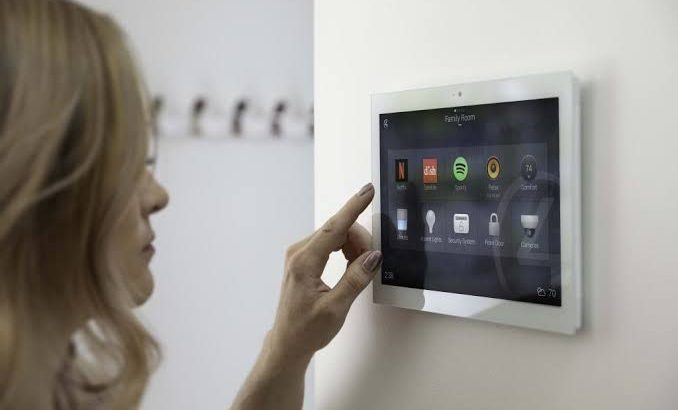
The modern household looks remarkably different than it did just a decade or two ago. Ordinary light bulbs, thermostats, kitchen appliances, and door locks have swapped their passive components for microcontrollers, wireless radios, and persistent internet connections. This wave of ubiquitous computing, broadly categorized as the Internet of Things or IoT, was sold to consumers on a straightforward promise: effortless comfort, lower utility bills, and seamless home automation.
Yet, as millions of homes filled their rooms with smart speakers, connected security cameras, and automated vacuum cleaners, a quiet architectural crisis developed alongside that convenience. Every connected device added to a residential local network functions as an independent computer. Most of these devices, however, are built under razor-thin hardware margins, rushed through competitive development cycles, and deployed by users who never think of them as entry points for cyber attacks. The result is a fragile domestic digital landscape where consumer privacy, personal safety, and broader network stability hang in the balance.
The Architectural Flaws of Smart Home Hardware
The foundation of IoT insecurity stems directly from hardware limitations and economic pressures in consumer electronics manufacturing. Unlike a desktop computer, smartphone, or enterprise server, a smart plug or internet-connected light switch operates with very modest processing power and minimal onboard memory.
-
Constrained Processing Power: Encryption algorithms and advanced security protocols demand computational overhead. Low-cost smart appliances frequently omit hardware-level cryptographic chips to keep retail prices affordable, leaving data in transit or at rest improperly secured.
-
Lack of Secure Boot Mechanisms: Secure boot ensures that a gadget runs only authenticated, manufacturer-signed code upon starting up. In inexpensive IoT gear, basic bootloaders are routinely deployed without signature verification, enabling an intruder with temporary network access to load malicious firmware.
-
Exposed Debugging Interfaces: During factory testing, engineers rely on physical interfaces such as UART or JTAG ports directly on the printed circuit board. All too often, manufacturers ship finished consumer products with these physical testing pins still active, allowing anyone with inexpensive hardware tools to extract firmware, read unencrypted credentials, and craft targeted exploits.
These trade-offs mean that smart home gadgets rarely feature the self-defense mechanisms that people take for granted on their laptops or mobile phones.
Software Insecurities and the Firmware Dilemma
The physical components represent only half of the equation; software and firmware implementations introduce an even wider attack surface. When companies race to launch new models every holiday season, software maintenance often ends up as an afterthought.
Hardcoded Credentials and Insecure Administrative Portals
One of the most persistent issues across residential smart tech is the presence of hardcoded administrative credentials. Countless devices roll off assembly lines with identical, factory-default usernames and passwords hardwired into their code. Even when user manuals urge buyers to configure a personal password during setup, many appliances do not mandate this step, leaving default administrative portals exposed to the entire local network or even to the wider internet via automated router port forwards.
Fragmented and Absent Firmware Updates
In a mature computing environment, vendors dispatch regular, over-the-air patches to fix newly discovered bugs and security weaknesses. In the smart home space, update mechanisms vary wildly:
-
Many budget-friendly devices have no automated over-the-air update capability at all, requiring consumers to manually download binary files from obscure web portals.
-
Manufacturers routinely abandon software support within twelve to twenty-four months of a product’s launch, leaving hardware that operates in a living room for a decade vulnerable to known exploits.
-
Even when patches are pushed, poor update validation can expose devices to man-in-the-middle tampering, where a malicious party spoofs an update server and delivers corrupted firmware.
How Attackers Exploit Connected Homes
The danger of an unsecured smart appliance rarely stops with the device itself. Attackers do not compromise an air quality monitor simply to read the humidity in someone’s basement; they use that initial foothold to orchestrate broader compromises.
Network Pivoting and Lateral Movement
The typical consumer home network uses a flat architecture. This means that a work laptop containing sensitive corporate documents, a tablet used for personal banking, and a bargain-basement connected picture frame all share the same local subnet. When an attacker breaches a smart gadget, they gain an initial perch inside the perimeter firewall. From this interior vantage point, they can run port scans against other connected machines, intercept unencrypted local network traffic, exploit unpatched operating systems, and harvest saved passwords.
Botnet Enlistment and Distributed Denial of Service
When hundreds of thousands of internet-connected appliances carry identical software flaws, bad actors can deploy automated scanners to locate and infect them en masse. Infected devices are silently conscripted into distributed botnets. While continuing to operate normally within the user’s living room, these hijacked devices take instructions from remote command-and-control servers, unleashing massive waves of illegitimate traffic against critical public infrastructure, news outlets, and financial institutions. The consumer rarely notices anything amiss beyond minor bandwidth sluggishness.
Intrusions on Physical Safety and Personal Privacy
In consumer IoT, digital vulnerabilities spill directly into the physical domain. Insecure web cameras and voice-activated microphones can be turned into surveillance tools without the homeowner’s awareness. Automated door locks, garage openers, and motion alarms with improper access controls can expose physical properties to break-ins. Even smart thermostats have been hijacked in digital extortion schemes, where intruders remotely dial up heating systems and demand ransoms to restore comfortable temperatures.
Strategies for Building a Resilient Smart Home
Mitigating the risks of home automation does not require returning to analog living, but it does require adopting deliberate digital hygiene practices. Homeowners can drastically reduce their vulnerability by taking a few structured steps.
-
Implement Network Segmentation: Most modern home routers support a separate guest Wi-Fi network or Virtual Local Area Networks (VLANs). Moving all smart home gadgets onto a dedicated guest network isolates them entirely from personal computers, smartphones, and network-attached storage units, effectively stopping lateral network attacks.
-
Disable Universal Plug and Play (UPnP): UPnP is a router setting that allows connected devices to automatically open external ports without manual approval. While it simplifies setup for multiplayer gaming and media streaming, it also allows smart gadgets to punch holes straight through the router firewall, making internal devices reachable from the public web. Disabling UPnP closes this door.
-
Audit and Disable Cloud Bridging: Many smart devices request permissions to sync with external vendor cloud platforms for remote access outside the house. Whenever remote control is not strictly required, users should restrict devices to local-only control or route connections through an encrypted self-hosted private network.
-
Change Default Passwords Immediately: During initial unboxing, homeowners should replace factory passwords with long, distinct credentials stored in a reputable password manager.
-
Retire Unsupported Electronics: If a vendor ceases releasing security updates for a camera, router, or smart lock, that device has reached the end of its secure life. Continuing to run obsolete network-facing gear presents an ongoing open door.
Moving Toward Structural Accountability
Consumer diligence alone cannot resolve the systemic issues within the smart home sector. Meaningful, lasting security requires regulatory bodies and industry coalitions to enforce baseline standards. Mandatory security labeling, bans on universal default passwords, transparent software support timelines, and baseline liability for software defects are essential steps toward building an ecosystem where consumer convenience does not come at the expense of household privacy and safety. Until those standards are standard across every retail shelf, smart homeowners must approach every connected sensor with clear eyes and defensive configurations.
Frequently Asked Questions
Why do smart devices require access to location and contacts during mobile app setup?
Many smartphone operating systems historically grouped Bluetooth and Wi-Fi network discovery under location permissions, meaning an app had to ask for broad location access simply to discover a nearby smart light bulb during initial setup. However, some manufacturers also use broad permissions to harvest user telemetry, Wi-Fi network identifiers, and address book data for marketing or behavioral profiling. Users should deny non-essential permissions, such as contacts or media files, if the app functions without them.
Can an attacker access personal files on a computer just by hacking a smart light bulb?
Yes, indirectly through a method called lateral movement. While the light bulb cannot directly read desktop hard drives, a compromised bulb lets an attacker sit inside the private home network behind the router firewall. From there, the attacker can search for shared network folders, probe the computer for unpatched vulnerabilities, or launch ARP spoofing attacks to intercept sensitive local internet traffic traveling to and from that computer.
Does turning off a smart device at the wall switch prevent it from being hacked?
Cutting the physical electrical power completely shuts down the device processor and wireless radio, making it entirely unreachable over the network while unpowered. However, switching it off does not repair any existing software flaws. The moment electrical power is restored and the gadget reconnects to the network, it becomes just as vulnerable as it was before being switched off.
How does using a local smart home hub differ from cloud-dependent smart products?
A local smart home hub processes automations, sensor signals, and control logic entirely within the physical building, communicating over localized wireless protocols such as Zigbee or Z-Wave without needing outside internet access. Cloud-dependent products, by contrast, send device states and user commands over the internet to remote corporate servers for processing before returning actions to the home. Local hubs reduce external attack exposure and keep functioning even if household internet service goes offline.
What is a side-channel attack in the context of smart home tech?
A side-channel attack gathers indirect physical clues from a device rather than exploiting code errors directly. For example, by analyzing subtle fluctuations in electrical power consumption, electromagnetic emanations, or acoustic sounds produced by a gadget during cryptographic operations, advanced attackers can sometimes deduce cryptographic keys or passwords that are otherwise hidden inside protected memory.
Can old Wi-Fi routers be repurposed safely to isolate smart home appliances?
Yes. An older, secondary router can be connected to the primary home router to build a separated physical network tier specifically for IoT gear. By configuring the secondary router with its own unique subnet and adjusting firewall rules so devices connected to it cannot communicate backward into the primary router network, a homeowner can effectively isolate smart devices without buying specialized enterprise-grade networking equipment.
Are battery-powered smart sensors safer than hardwired smart appliances?
Battery-powered sensors are not inherently safer in their software design, but their operational nature introduces distinct trade-offs. To conserve battery life, these sensors usually spend most of their time in a low-power sleep state, waking up only for split seconds to broadcast a reading before going dark again. This intermittent connectivity makes them narrower targets for continuous real-time remote exploitation compared to hardwired devices that maintain persistent network listeners around the clock.

